AI coding agents each wants its own config file, such as AGENTS.md for Codex, a .claude folder for Claude Code, or a .cursor/ folder for Cursor. Every new agent adds one more file to the filesystem.
As a fan of decluttered repositories myself, I was always thinking "Nope! This can be better".
This tweet captures some of my feelings:
Please can we fix this chaos with 3649 different standards for custom agent rules/skills
— Daniel Lockyer (@DanielLockyer) September 4, 2026
I visit a repo and see:
* AGENTS.md
* CLAUDE.md
* CONTEXT.md
* .amp/
* .claude/
* .codex/
* .conductor/
* .cursor/
* .gemini/
* ...
I'm pretty sure 99% of these should just be deleted
The clutter also makes things out of sync. For example, one developer updates only their own agent's files, which will leave every other agent's files out of sync.
That is why I built Agenteq, a single source of truth for AI coding agent configurations. It keeps things decluttered and in sync all the time.
It is originally inspired by Laravel Boost for its auto-detection and sync approach.
With Agenteq, you define all guidelines, skills, commands, and MCP servers once. Then it auto-detects which agents are installed on your system and syncs their relevant artifacts using the source of truth. The source of truth is the only thing that will be tracked in Git.
How it works
Add this layout to your repository.
.ai/GUIDELINES.md, one agent-agnostic guidelines file (converted into AGENTS.md, etc.).ai/mcp/<name>/config.json, one* file per MCP server (config guidelines)..ai/commands/**, slash commands, synced (symlinked) verbatim per agent..ai/skills/**, skills, synced (symlinked) verbatim per agent.
*The separate MCP files are compiled into one file and formatted (as JSON, TOML, etc.) to suit the target agent.
Once the files are in place, run this command.
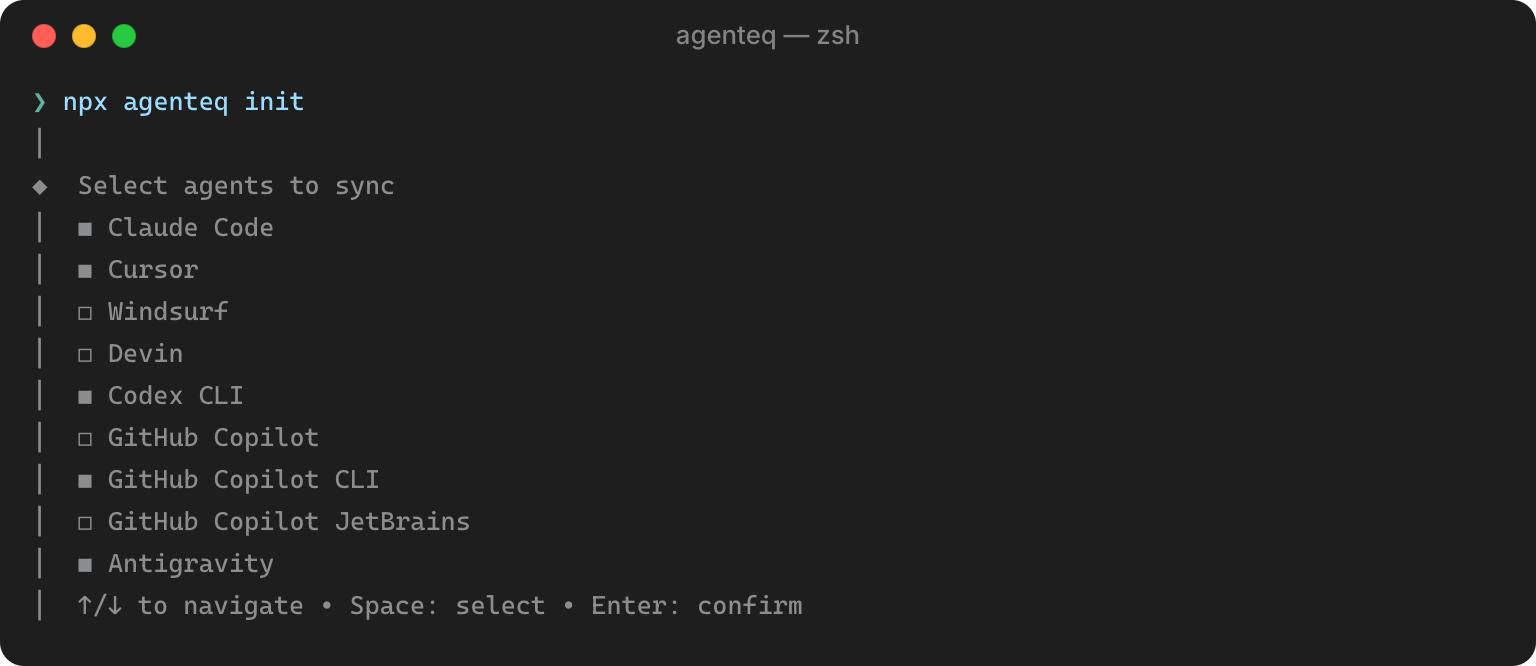
npx agenteq init
The init command looks at your machine and project, finds which agents are installed, lets you confirm or change the list, then generates the first set of artifacts for each agent.
Everyday usage
After the first run, keep everything in sync with this command.
npx agenteq sync
The sync command reuses the agent list you picked during init, so it does not scan your system or ask you anything again.
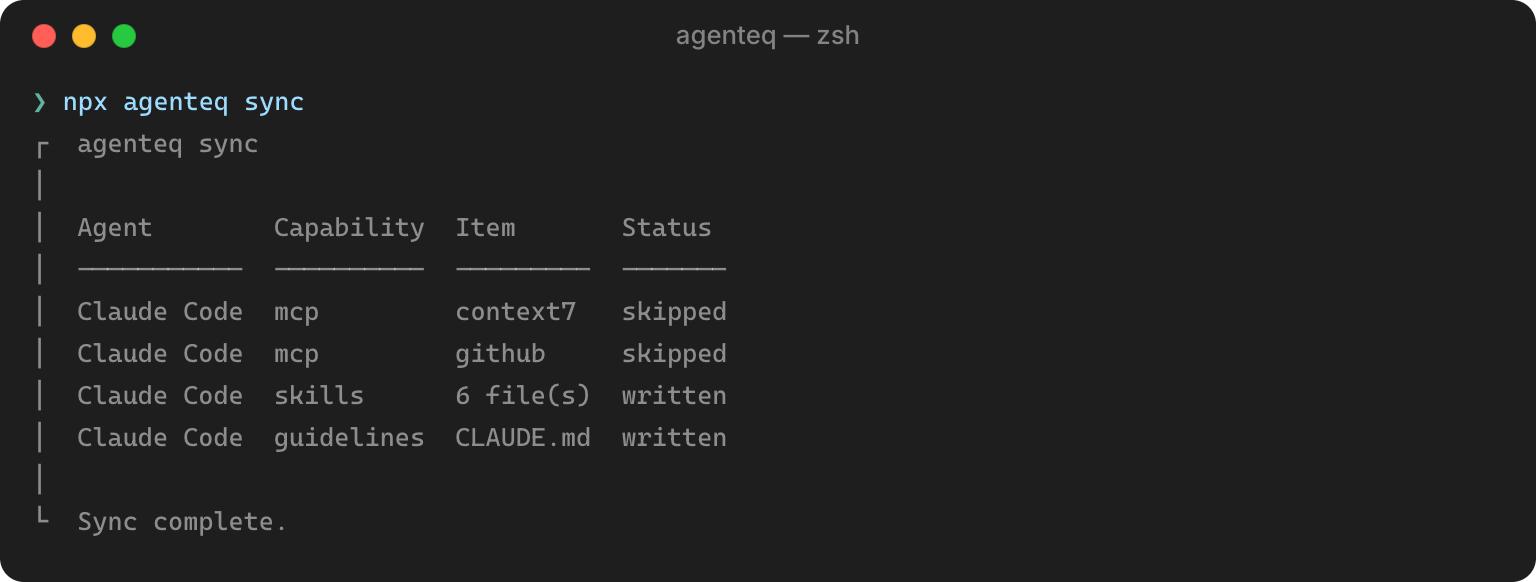
You can also sync a specific set of agents, or only some capabilities, with flags.
npx agenteq sync --agents claude_code,cursor
npx agenteq sync --only guidelines,skills
Run it after every change to .ai/.
To check what Agenteq sees on your machine at any point, run this.
npx agenteq detect
It prints every agent it recognizes, whether it's installed, and which capabilities it supports for that agent.
You can check this basic example.
Caveat
Agenteq currently ships definitions for 19 agents, each with its own detection logic and file layout. I mainly use Claude + Antigravity, so I didn't test every single tool myself. I let my agent E2E test all remaining tools; thus, feedback from developers who are actually using the tool is much appreciated.
If you use a less common agent, or one of the supported ones behaves unexpectedly on your setup, there are two issue templates for this:
- Agent support request if your agent isn't listed at all.
- Agent artifact problem if a supported agent's generated file are wrong.
Try it out
npx agenteq init
Links:
- More details on the Github repository and full agent support table with a basic example.
- The npm package.
Migrating an existing repo
If you already have the AI files (e.g., CLAUDE.md, .agents/, etc) created and tracked in git, you don't have to do any refactoring by hand to centralize them into .ai/.
Agenteq ships a skill to do it for you.
npx skills add https://github.com/sunchayn/agenteq --skill refactor-to-agenteq
Then invoke it via /refactor-to-agenteq.
Using it with Laravel Boost
Since Agenteq borrowed its auto-detection and sync approach from Laravel Boost in the first place, the two are meant to work together.
Boost take care of generating the dynamic guidelines and skills. Then Agenteq takes care of syncing the commands (Boost doesn't sync those) and integrating the MCPs into the installed agents.
First initialize the project as:
php artisan boost:install --guidelines --skills && npx agenteq init --yes
To enable Laravel Boost MCP, define it yourself under .ai/mcp/laravel-boost/config.json, the same way as any other MCP server (see MCP config.
From then on, keep both in sync with one combined command.
php artisan boost:update && npx agenteq sync
If your project already runs Boost, Agenteq ships a skill for that can be used to migrate.
npx skills add https://github.com/sunchayn/agenteq --skill add-agenteq-to-boost-project
Then invoke it via /add-agenteq-to-boost-project.